Can You Share Recipes on Cronometer? A Practical Guide
Learn how to share Cronometer recipes publicly or via export. This practical guide walks home cooks through step-by-step sharing, privacy considerations, and tips to keep nutrition data accurate.


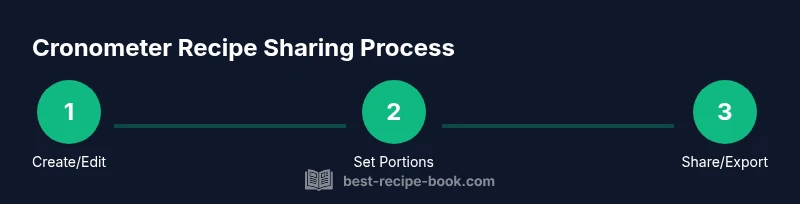
Yes. You can share Cronometer recipes via public links or exports. Start by creating or editing a recipe, verify ingredients, servings, and nutrition, then choose Share or Export to generate a public link or printable card. Note that some sharing features depend on your account type and plan.
What sharing means on Cronometer
Cronometer tracks nutrients for individual ingredients and meals, but it can also be shared beyond your own account. Sharing a recipe means making your ingredient list, serving sizes, and nutrition data available to others through a public link or export file. This is useful for meal plans, school lunches, or collaborative cooking with family and friends. The Best Recipe Book analysis shows that clear, accurate recipe sharing improves consistency in nutrition tracking and reduces confusion when meals are prepared by different people. When you prepare a recipe to share, you’ll typically want to verify that the ingredient list matches what you cooked, set a reasonable serving size, and confirm the nutrition panel reflects the intended portion. In practice, a well-shared recipe acts as a living document: anyone who uses it can see the ingredients, quantities, and nutrition facts, and you can update it as needed.
Before you share: preparation tips
Before you share anything, gather your sources of truth: the exact ingredient list, measured portions, and the nutrition per serving. Decide the audience for the share (family, friends, or a broader community) and choose the sharing method that fits them best—public link for easy access, or an export for print or blog post. Privacy matters: avoid including personal notes or private dietary data in the shared version. This preparation minimizes follow-up questions and ensures your audience sees a reliable snapshot of the recipe with clear servings and nutrition. According to Best Recipe Book, preparation quality directly affects how readers interpret the nutrition data and whether they trust the recipe.
Step-by-step overview to share a Cronometer recipe
This section provides a high-level view of the sharing workflow. You’ll create or select a recipe, check ingredients and servings, choose a sharing method, and test accessibility. Throughout the process, keep the nutrition panel aligned with the intended portion size so viewers can accurately estimate calories and macros. The goal is to enable others to recreate the dish with confidence and minimal back-and-forth questions. By following these steps, you’ll produce a share-ready recipe that serves as a dependable reference for meal planning and nutrition tracking.
Optimizing shared recipes for nutrition tracking
Shared recipes should remain consistent with your nutrition goals. Use Cronometer’s serving-size controls to ensure the nutrition per serving matches how your audience will eat the dish. If you change an ingredient or adjust a portion, update both the ingredient list and the nutrition panel. Consider adding notes on substitutions or regional ingredient variants to broaden usability. Clear labeling of allergens, calories, and macronutrients helps readers compare options quickly, which is especially valuable for families managing dietary restrictions or athletes tracking intake.
Common pitfalls and how to fix them
One common pitfall is sharing an out-of-date recipe. Always review the nutrition data after edits and re-share if necessary. Another issue is inconsistent units (grams vs. ounces) that confuse readers; standardize units before publishing. Some users forget to remove personal notes or private reminders from the shared version, which reduces professionalism. Finally, choose the right export format for your audience: PDFs are great for printing; CSVs work well for feeding into spreadsheets or meal plans. By anticipating these issues, you’ll maintain credibility and utility in every shared recipe.
Examples of sharing recipes: public link vs export
Public links work well for quick access and community sharing, while exports provide a portable version for newsletters, menus, or blogs. A public link should open smoothly on mobile devices and present a clean nutrition panel for each serving. Exports, such as a PDF or CSV, allow you to distribute recipes offline or integrate them into printed meal plans. For creators, mixing both methods broadens reach: offer a public link for convenience and a printable export for formal presentations or teaching materials.
Tools & Materials
- Computer or mobile device with internet access(Use a supported browser or the Cronometer app)
- Cronometer account(You need an account to create or edit recipes)
- Draft notes for ingredients and nutrition(Optional but helpful for accuracy)
- Public sharing link or export option(Choose the sharing method that suits your audience)
- Printable card or PDF export(Useful for printed menus or handouts)
Steps
Estimated time: 15-35 minutes
- 1
Open or create the recipe
Log in to Cronometer and navigate to your recipe library. Open an existing recipe or start a new one, ensuring every ingredient is listed with accurate amounts. This is the foundation before you share.
Tip: Double-check that the ingredient list matches what you prepared and that units are consistent. - 2
Set servings and nutrition
Adjust the serving size to match how you will serve the dish. Review the nutrition panel; confirm calories, macros, vitamins, and minerals align with your portion.
Tip: If you scaled the recipe, recalculate nutrition per serving to avoid misinformation. - 3
Review ingredients and substitutions
Scan for common substitutions and ensure they’re reflected in the ingredient list. Update any notes about substitutions if you expect viewers to replicate exactly.
Tip: Add notes for allergen considerations to help readers avoid reactions. - 4
Choose sharing method
Within the recipe editor, select the Share option or Export to generate a public link or a printable card. Decide whether you want a live link or a static file.
Tip: Public links should be easy to read; keep URLs clean and avoid long query strings. - 5
Publish or distribute
Publish the recipe or save a draft for later. Copy the share link and test it in another browser to confirm accessibility. If exporting, choose a format that suits your audience (PDF or CSV).
Tip: Test accessibility on mobile devices to ensure readability. - 6
Monitor and update
If you update ingredients or nutrition, revisit the shared version to ensure consistency. Communicate any significant changes to those who view or use your link.
Tip: Set a reminder to review nutrition data after edits.
People Also Ask
Can I share Cronometer recipes publicly?
Yes, Cronometer allows sharing recipes via public links or exports. The exact options depend on your account type.
You can share recipes with public links or exports, depending on your plan.
Will shared recipes update if I edit the original?
Shared links generally reflect the latest version of a recipe; edits update the shared copy.
Edits usually update the shared version.
Are there privacy controls for shared recipes?
Yes, you can choose how broadly to share (public link vs export) and review settings in your profile.
There are privacy controls in settings.
Can I import a recipe from another source?
Cronometer supports importing recipes from common formats, then you can adjust servings and nutrition.
Yes, you can import recipes and adjust their details.
Is Cronometer free to use for sharing recipes?
Basic sharing features are available on free plans; more advanced sharing options may require a paid plan.
Shared features may depend on your plan.
Watch Video
Key Takeaways
- Publish accurate ingredient lists and nutrition data
- Test links on multiple devices before sharing
- Choose the right sharing method for your audience
- Revisit shared recipes after edits to maintain accuracy