How to Use Recipe Keeper on Echo Show
Learn to use Recipe Keeper on Echo Show with hands-free browsing, on-screen steps, and voice-activated shopping lists. Our Best Recipe Book guide walks you through setup, usage, tips, and safety for a smoother kitchen workflow.


With Recipe Keeper on Echo Show, you can browse saved recipes, read steps aloud, and add ingredients to your shopping list using voice commands. Make sure your Echo Show is signed into the same Amazon account as Recipe Keeper and that the Recipe Keeper skill is enabled. Start by saying, Alexa, open Recipe Keeper.
Why use Recipe Keeper on Echo Show
The Echo Show combines a vivid screen with voice control, which makes it ideal for kitchen tasks. According to Best Recipe Book, using a dedicated recipe organizer like Recipe Keeper on a smart display helps you stay focused on cooking while keeping your hands free. The Best Recipe Book team found that hands-free access to steps, timers, and ingredient lists reduces time spent flipping through cookbooks and chasing paper notes. With Recipe Keeper on Echo Show, you can search, view, and step through recipes in real-time, while the screen highlights the current step and the voice reads it aloud. This dual modality is especially valuable for novice cooks building confidence and veterans seeking efficiency. You’ll appreciate fewer kitchen messes and more consistent results as you follow clear prompts. The result is a smoother workflow, better timing, and a calmer cooking experience, even when multitasking in a busy kitchen.
What Recipe Keeper on Echo Show can do
When you run Recipe Keeper on Echo Show, you gain several practical capabilities that improve kitchen flow. You can search recipes by name or ingredient, view step-by-step instructions on-screen while hearing them aloud, follow timers and unit conversions, and add ingredients to a shopping list directly from the recipe page. You can also save personal notes or tweaks and have them linked to the same recipe across devices. The integration leverages Alexa for voice control, the display for context, and your existing Recipe Keeper data for continuity. For families, this means a shared kitchen experience where instructions are clear and visible to everyone. The system also supports quick transitions between recipes, so you can switch from one dish to another without losing momentum. The key benefit is maintaining focus on cooking instead of scrambling for instructions or pen-and-paper notes.
Getting started: prerequisites and setup
Before you begin cooking with Recipe Keeper on Echo Show, verify a few prerequisites so the experience is seamless. Make sure your Echo Show is connected to Wi‑Fi and signed into the same Amazon account that you use with Recipe Keeper. Enable the Recipe Keeper skill in the Alexa app and link your Recipe Keeper account when prompted. Have a stable recipe library ready—either synced from the app or created within Recipe Keeper. If you’re new to this ecosystem, a quick device reboot after linking accounts helps ensure all permissions are active. This preparation reduces common stumbling blocks during live cooking when you want to ask Alexa for the next step or to add an ingredient to your list. Best Recipe Book notes that the more complete your setup, the quicker you can start cooking with confidence.
Step-by-step: enable skills and link accounts
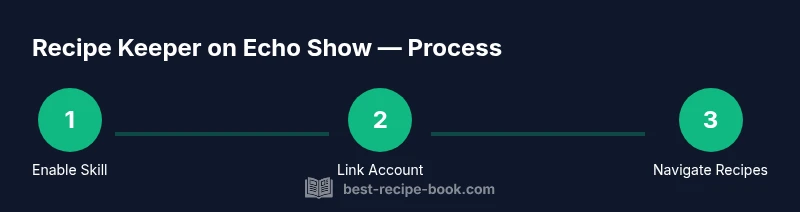
To get started, perform these setup actions. 1) Enable the Recipe Keeper skill in the Alexa app or by saying, ‘Alexa, enable Recipe Keeper.’ 2) Sign in to your Recipe Keeper account when prompted, and grant necessary permissions so your library can sync with Echo Show. 3) Verify that the Echo Show and the Recipe Keeper account are linked to the same user profile, then decide whether you want to receive spoken updates and on-screen prompts. 4) Customize your preferences for reading speed, highlight color, and whether timers should narrate aloud. 5) Test a quick command, such as ‘Alexa, open Recipe Keeper,’ to confirm connectivity. By completing these steps, you ensure your Echo Show can smoothly navigate through your recipes with voice and screen guidance. If you encounter issues, retry the linking flow or restart the devices to refresh connections.
Navigating recipes by voice
Voice navigation is the fastest way to move through recipes when your hands are full or messy. Start by saying commands like, “Alexa, open Recipe Keeper,” or “Alexa, show me lasagna recipe.” The Echo Show will present results on the screen while reading the title aloud. For best results, refine your search with specific terms (e.g., “vegetarian chocolate cake”) and use the step numbers to jump to a particular portion of the recipe. You can also ask for substitutions or measurements, such as “How many cups of flour do I need?” The goal is to keep your attention on cooking while you receive precise, timely guidance.
Reading aloud versus reading on screen
One of the biggest advantages of Recipe Keeper on Echo Show is the dual modality: you can listen to step-by-step instructions while glancing at images, timers, and quantities. If you prefer to read along, tap the screen to view the text at your own pace. For busy moments, rely on voice readouts to keep cooking steady—this is especially helpful when you’re chopping or measuring ingredients. Adjust the reading speed in the settings so that the narration matches your pace. If you miss a detail, simply ask to repeat the step or skip ahead.
Managing grocery lists and timers
A powerful part of this setup is how it handles lists and timers. When you encounter ingredients, say, “Add to shopping list” or tap the on-screen button to append items. You can view and edit your shopping list on Echo Show or in the Recipe Keeper app. Timers are easy to manage: say, “Set a timer for 20 minutes,” and the Echo Show will count down with audible alerts and on-screen progress. Use multiple timers for multi-stage recipes, and label them to avoid confusion. These features help you stay organized and reduce last-minute scrambling.
Tips for accuracy and consistency
To get the most reliable results, keep your recipe library well-organized, with standardized units and clear quantities. Regularly sync your Recipe Keeper data across devices so updates appear instantly on Echo Show. Use concise prompts like “next” or “repeat that” to maintain flow without breaking concentration. If you rely on substitutions, add them to your notes in Recipe Keeper so the next time you cook the same dish, guidance is consistent. Finally, verify that your voice volume and the microphone sensitivity are appropriate for a kitchen environment with ambient noise.
Privacy, safety, and best practices
When using voice-enabled devices in the kitchen, consider privacy and safety. Review your Echo Show’s microphone and camera permissions and adjust wake word settings if you share the device with others. Avoid exposing sensitive information while cooking, and log out of accounts when not using the kitchen device. If someone else might use your Echo Show, enable a guest profile or switch accounts to prevent cross‑profile data sharing. Following these precautions helps protect your information while you confidently follow recipes.
Troubleshooting common issues
If Recipe Keeper on Echo Show stops responding or fails to fetch recipes, first check your internet connection and ensure the Skill is enabled and linked correctly. Sign out and back in to refresh tokens, then reboot the Echo Show. Ensure your Recipe Keeper library is not set to private or restricted; if you store sensitive notes, consider using the app’s internal notes feature rather than displaying them on screen. If the problem persists, try a different recipe or clear the app cache and relaunch the skill.
Authority sources
- FDA: https://www.fda.gov/food
- CDC – Food Safety: https://www.cdc.gov/foodsafety/index.html
- NIST: https://www.nist.gov/topics/food-safety
These sources provide general guidance on food safety, device usage in kitchens, and standard practices that complement digital cooking helpers like Recipe Keeper on Echo Show.
Quick-start cheat sheet
- Enable Recipe Keeper on Alexa and link accounts. - Keep your Echo Show on the same Wi-Fi network as your Recipe Keeper account. - Use voice commands to browse, read, and navigate steps. - Add ingredients to your shopping list directly from the recipe. - Use timers and reading speed adjustments to match your pace.
Tools & Materials
- Echo Show (any model with a screen)(Ensure it’s connected to Wi‑Fi and signed into your Amazon account.)
- Stable Wi‑Fi network(2.4 GHz or 5 GHz works; 5 GHz is faster for streaming.)
- Amazon/Alexa account(Signed in and ready for Skill integration.)
- Recipe Keeper account or app(Link to Alexa when prompted during setup.)
- Smartphone or tablet (optional)(Useful for initial configuration via the Alexa app.)
- Power supply and stable surface(Kitchen-safe location, away from water and heat.)
Steps
Estimated time: 15-25 minutes
- 1
Enable the Recipe Keeper skill
In the Alexa app or by voice, say, “Alexa, enable Recipe Keeper.” Follow the prompts to sign in and grant permissions so the skill can access your Recipe Keeper data.
Tip: If the skill isn’t visible, update the Alexa app or search for the exact name in Skills & Games. - 2
Link your accounts
Sign in to your Recipe Keeper account when prompted in the Alexa app to authorize syncing. Confirm that the correct user profile is selected.
Tip: Use the same email address you use in Recipe Keeper for a clean sync across devices. - 3
Open Recipe Keeper on Echo Show
Ask Alexa to open Recipe Keeper or navigate to the app tile on the Home screen, then select a library to view.
Tip: Pin the app to the home screen for faster access. - 4
Search for a recipe by voice
Speak the recipe name or an ingredient list, and let Echo Show present results with a short description and image.
Tip: Be specific with names (e.g., “vegetarian lasagna with spinach”). - 5
Start reading the recipe aloud
Say “read recipe” or “start step 1” to begin; the device will read aloud while highlighting the current step.
Tip: If you miss a detail, say “repeat that” or “next step.” - 6
Follow on-screen and voice guidance
Glance at the screen for quantities and images while listening to the narrated steps; swipe to navigate when needed.
Tip: Use “pause” if you need a moment to catch up. - 7
Add ingredients to your shopping list
As you prep, say “add to shopping list” for items you’ll need; review the list on screen or in the app.
Tip: Group similar items to keep lists organized. - 8
Set timers and manage pacing
Create timers for each cooking stage by voice, and keep your hands free for chopping and mixing.
Tip: Label timers to avoid overlap (e.g., “timer—sauce 8”).
People Also Ask
What is Recipe Keeper on Echo Show and what can it do?
Recipe Keeper on Echo Show is a voice-enabled recipe organizer that lets you search, view, and follow recipes using hands-free voice commands and on-screen prompts. It also supports shopping lists and timers to streamline your cooking flow.
Recipe Keeper on Echo Show lets you search and follow recipes by voice while viewing them on screen and using timers.
Can I use Recipe Keeper without an internet connection?
No. The service relies on online access to fetch recipes, sync data, and support voice commands. Local caching may help briefly, but full functionality requires internet.
No, you usually need an internet connection for Recipe Keeper to work fully on Echo Show.
How do I transfer recipes from my phone to Echo Show?
Ensure both devices are linked to the same Recipe Keeper account and synced. New additions on your phone should appear on Echo Show after a short sync.
Make sure you’re signed into the same Recipe Keeper account on both devices and let them sync.
Is my data safe when using Recipe Keeper on Echo Show?
Yes, when you review and adjust privacy settings, including wake word and data sharing preferences. Use app-specific notes for sensitive details.
Privacy can be managed in settings; review what is shared and keep sensitive notes in the app instead of on-screen.
Can I print or export recipes from Recipe Keeper on Echo Show?
Echo Show itself can’t print, but you can email recipes or export them via the Recipe Keeper app, then print from a computer.
Printing isn’t done directly from Echo Show, but you can export or email recipes from the app.
What if Echo Show doesn’t respond to Recipe Keeper commands?
Check internet connection, verify the Skill is enabled and linked, and try reloading the skill or rebooting the Echo Show.
If it’s not responding, check the connection, re-link the skill, or restart the device.
Watch Video
Key Takeaways
- Learn to enable Recipe Keeper on Alexa and link accounts.
- Use hands-free voice commands to navigate steps and manage a shopping list.
- View on-screen steps while listening to narration for better accuracy.
- Leverage timers and pace controls to maintain cooking rhythm.
- Protect privacy by reviewing device permissions and using guest profiles when needed.