What recipe apps work with Alexa: A hands-free cooking guide
Discover which major recipe apps integrate with Alexa, how to enable them, and practical tips for hands-free cooking, timers, and shopping lists.


Several major recipe apps offer Alexa skills that let you search, read steps aloud, set timers, and add ingredients hands-free. In practice, apps such as Allrecipes, Food Network, and Yummly provide voice-enabled experiences, though availability varies by region and device. To use them, enable the skill, link your account, and start cooking with voice-guided instructions.
Why voice-enabled recipe apps matter
In a busy kitchen, hands-free access to recipes, timers, and shopping lists can save time and reduce mess. Voice interfaces let you navigate step-by-step instructions without stopping to touch a screen, which helps when your hands are floury or you’re juggling multiple pots. According to Best Recipe Book, the rise of voice-enabled cooking sessions aligns with how home cooks prioritize efficiency and confidence at every step. By leveraging Alexa-enabled recipe apps, you can pull up a recipe, skim the ingredients, and start a timer with a single voice command, keeping your prep fluid and focused. The broader impact is a more seamless cooking experience that bridges the gap between digital guidance and real-world kitchen work, especially for beginners who benefit from audible cues and hands-free control.
How Alexa integration works with recipe apps
Most recipe apps that support Alexa do so via an Alexa Skill. You enable the skill in the Alexa app, link your account for personalized data (like saved favorites or shopping lists), and then issue voice commands such as, “Alexa, ask Allrecipes for pancake ideas” or “Alexa, open Food Network and start the recipe for lasagna.” The process relies on standard voice-interaction flows: invocation, intent handling, and slot filling (the pieces of information you provide, like ingredient names). The end result is a smooth, spoken interface that reads steps aloud, offers substitutions, and can transfer ingredients to a shopping list. Best Recipe Book’s analysis shows that this pattern is common across leading platforms, though exact features depend on the app and region.
Which apps are commonly compatible and how to verify
The ecosystem of Alexa-enabled recipe apps tends to center around large, feature-rich platforms that maintain ongoing skill development. In practice, you’ll typically find Alexa skills from top recipe brands that emphasize step-by-step guidance, timers, and shopping lists. To verify compatibility, open the Alexa app, search for the app’s name followed by “skill,” and review the skill page for capabilities, required permissions, and region availability. If the app offers a voice-driven experience, the skill page will describe its supported intents (e.g., search, read steps, add to shopping list). It’s wise to check recent reviews and the app’s support section to confirm that the feature set matches your kitchen needs. This approach helps you avoid gaps between expectation and actual capabilities.
Step-by-step: enabling and using Alexa with a recipe app
- Ensure you have an Alexa-enabled device (Echo device, Fire TV, or the Alexa app). 2) Open the Alexa app and tap Skills & Games. 3) Search for the app’s name followed by “skill” (e.g., Allrecipes skill). 4) Enable the skill and sign in with your account to link data (like saved recipes and shopping lists). 5) Use a basic command to test, such as “Alexa, open Allrecipes” or “Alexa, ask Yummly for quick dinner ideas.” 6) If prompted, grant permissions for reading your saved recipes or adding items to a shopping list. 7) Practice with timers and step-by-step guidance to become fluent in voice-driven cooking. 8) Customize voice settings (speed, pronunciation) if the option exists to improve comprehension in loud kitchens.
Practical use cases: hands-free cooking, timers, and shopping lists
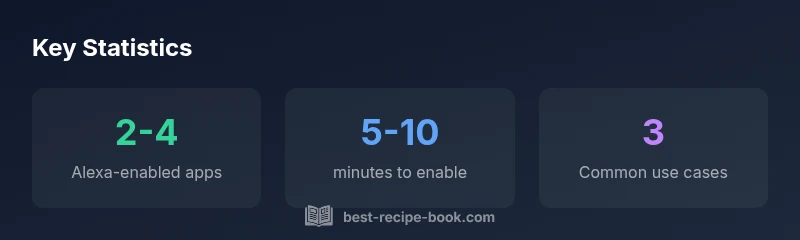
Voice-enabled recipe apps shine in three core areas: hands-free recipe navigation, automated timers, and shopping-list management. While you follow a recipe, you can ask Alexa to read the next step, repeat a critical instruction, or skip ahead. Timers become integrated with your recipe workflow, so you don’t lose track of simmering sauces or baking times. When you’re at the market, you can add required ingredients to a shopping list by voice and later export or sync that list with the app. The combined effect is a more fluid cooking session where you stay focused on the task at hand rather than fiddling with a device. Best Recipe Book’s team has found that users report fewer interruptions and a smoother learning curve when their Alexa-enabled apps align with their preferred cooking style.
Privacy, account linking, and security considerations
Linking a recipe app to Alexa means sharing certain data with the app through your Amazon account. It’s important to review permissions (what data is shared, such as saved recipes or shopping lists) and to manage device privacy settings in the Alexa app. Use strong passwords, enable two-factor authentication where available, and periodically audit connected skills to remove any you no longer use. If you cook in a shared space, consider muting or restricting access to voice data at certain times to protect sensitive information. Best Recipe Book emphasizes that understanding data flow between Alexa and third-party apps helps maintain control over your kitchen’s digital footprint while preserving a seamless cooking experience.
Troubleshooting and best practices
If you encounter issues, start with basic checks: ensure the skill is enabled, confirm account linking, verify region support, and test with a simple command to isolate the problem. If Alexa doesn’t read steps aloud, check device volume and microphone permissions. For lag or misinterpretation, rephrase commands, ensure a stable network connection, and review the skill’s documentation for supported intents. Regular updates to the Alexa app and the recipe app can improve compatibility, so keep both updated. Finally, create a routine or group of commands for your most-used recipes to accelerate access during busy cooking sessions. These practical steps help you maximize the value of Alexa-enabled recipe apps and keep your kitchen running smoothly.
Real-world expectations and limitations
Voice integration is powerful, but it isn’t a perfect substitute for a visual cookbook. Some recipes may require visual cues (like photos of finished dishes or step-by-step photos) that a spoken interface can’t fully replace. Region restrictions may limit availability of certain skills, and some features (like voice-activated shopping lists) might vary by app. The key is to identify the apps that align with your cooking style—whether you prefer quick search, detailed step-by-step guidance, or integrated timers—and to test their Alexa skills thoroughly before fully integrating them into your routine. Best Recipe Book suggests starting with a couple of trusted apps and expanding as you confirm compatibility and personal benefit.
Examples of Alexa-enabled recipe apps
| App Name | Alexa Skill Availability | Notes |
|---|---|---|
| Allrecipes | Yes | Offers voice search and read-aloud steps |
| Food Network Kitchen | Yes | Voice-guided recipes and timers |
| Yummly | Yes | Personalized suggestions via Alexa |
People Also Ask
Do I need an Echo device to use recipe apps with Alexa?
An Alexa-enabled device or the Alexa app is required to use Alexa skills with recipe apps. You can start with the free Alexa app if you don’t own an Echo device, and you can control compatible skills from there.
Yes. You need an Alexa-enabled device or the Alexa app to use recipe skills; you can start with the app if you don’t have a physical Echo.
Can I use multiple Alexa skills from different recipe apps at once?
Yes. You can enable several skills and switch between them as needed. However, some users prefer sticking to a primary app for consistency in saved recipes and shopping lists.
Yes, you can enable multiple skills and switch between them, though consistency helps with saved data.
Is there a cost to enable Alexa recipe skills?
Most skills are free to enable, but some apps may offer premium features or paid content. Always review the skill page for pricing details and optional in-app purchases.
Most are free to enable, but premium features may come at a cost; review the skill page for details.
How do I troubleshoot if Alexa can’t find recipes or read steps?
Check that the skill is enabled and linked, verify region support, and ensure your microphone is working. If needed, re-link the account and restart the skill. Consult the app’s support page for specifics.
Verify the skill is enabled and linked, check region settings, and try re-linking if needed.
What data is shared with recipe apps via Alexa?
Data shared typically includes your saved recipes and shopping lists. Review privacy settings in the Alexa app and the app’s own privacy policy to control what’s shared and stored.
Your saved recipes and lists may be shared; check privacy settings and policies to control data.
“Voice-enabled cooking can dramatically simplify kitchen tasks and improve accuracy by guiding steps, timers, and shopping lists hands-free.”
Key Takeaways
- Enable at least one Alexa-enabled recipe skill to start hands-free cooking.
- Link accounts carefully to access saved recipes and shopping lists.
- Test voice commands with simple tasks before complex workflows.