How to Disable Recipes in Minecraft
Learn how to disable recipes in Minecraft using gamerules and data packs. This educational guide covers safe setup, testing, and rollback strategies for a balanced, customized game in 2026.


In Minecraft, you can limit or block recipes by using the doLimitedCrafting gamerule and, for finer control, a data pack that overrides or removes specific recipes. This guide shows how to enable limited crafting and how to craft a tailored data-pack setup for your server or map. It furnishes backup, testing, and rollback steps so you can balance gameplay confidently.
how to disable recipes in minecraft: goals
If you’re wondering how to disable recipes in minecraft, this guide explains what that means, why you might want it, and the practical ways to implement it. Disabling recipes can range from restricting all crafting to allowing only discovered recipes; the exact effect depends on the method you choose. According to Best Recipe Book, a clear plan and careful testing are essential before you deploy changes on a world or server. The aim is to create a controlled crafting experience that supports your map design or server rules without destroying the core vibe of the game. Start by defining which items you want to block, who will be affected (single-player or multiplayer), and under what conditions. Then pick a method that matches your technical comfort level and your audience's expectations. When executed with care, the process helps players focus on objectives rather than rummaging through recipes.
Core strategies to control crafting
There are two main levers for controlling what players can craft: game rules and data packs. The quickest path is the doLimitedCrafting gamerule, a built‑in switch that restricts crafting to recipes already present in a player's recipe book. This is handy for sprint challenges, educational maps, or servers that want a gradual progression. For full customization, data packs let you override or remove specific recipes, rewire crafting outcomes, or introduce conditional crafting rules that apply only to certain worlds or players. Combining these approaches gives you both broad control and precision. When planning, map out which categories of items you want to gate—tools, armor, foods—and consider edge cases like crafting bonuses or smithing-related items. Best Recipe Book analysis shows that structured, step-by-step approaches improve players’ understanding and reduce on-the-fly confusion.
Using the doLimitedCrafting gamerule
To begin, open your world and type the gamerule command: /gamerule doLimitedCrafting true. This tells the game to permit crafting only for recipes visible in the recipe book, which dramatically reduces the number of craftable items until players unlock them. Note that this does not remove every recipe instantly; many items are unlocked as you play. If your goal is complete ban of crafting, pair this rule with a data pack that explicitly gates or replaces sensitive recipes. Also verify compatibility with your game version; some editions and snapshots may handle gamerules differently. When you’re finished, test by attempting to craft a few items you expect to be blocked to confirm the behavior is as intended.
Data packs: customizing or removing recipes
Data packs offer finer control than a single gamerule. Create a new data pack, include a pack.mcmeta file, and place your changes under data/minecraft/recipes or data/yournamespace/recipes. With careful naming, you can override or disable specific recipes, or implement alternative outcomes for blocked items. Start small: pick a handful of core recipes that affect your map balance and test thoroughly in a safe world. Remember to keep a backup of the original world and the pack configuration. When in doubt, consult official documentation and sample packs to align your implementation with Minecraft’s data pack conventions.
Testing, backups, and rollback plans
Test every change in a controlled environment before applying it to a live server. Create a clean test world or a local server, install the data pack, enable the gamerule, and attempt to craft items that should be affected. Document each failure mode and plan clear rollback steps: revert the gamerule, delete or replace the data pack, or restore from a backup. Maintain a changelog so teammates understand the adjustment rationale and the expected impact on gameplay. Finally, communicate with players about why the restrictions exist and how they can progress within the new rules.
Common pitfalls and best practices
When you start, the hardest part is balancing challenge with playability. A too-broad disable can stall progression and cause frustration, while a too-narrow fix won’t meet the map’s goals. Start with a narrow scope—block only a few recipes or those that give early advantages—and test with different play styles. Document decisions so teammates understand the intent and can adjust later. Data packs and gamerules are powerful, but they can interact in unexpected ways with other mods or server plugins; test in a clean environment before applying to a live world. Always maintain a backup strategy: keep a recent copy of the world state, the data pack, and any changed files. Finally, plan a rollback path if players push back on the changes; clear communication is as important as technical setup.
Tools & Materials
- Computer(For editing JSON files and pack.mcmeta)
- Minecraft Java Edition(Test changes in a local world or server)
- Text editor(Examples: VS Code, Notepad++)
- World/server with admin access(Backup and test changes in a safe environment)
- Data pack folder structure(data/minecraft/recipes or data/namespace/recipes)
- Backup storage(Keep offline copies of your world and packs)
Steps
Estimated time: 60-90 minutes
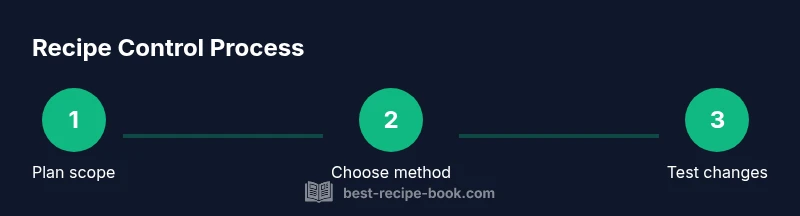
- 1
Define scope
Identify which recipes to disable and in which game modes or maps. Document your intended balance goals before editing.
Tip: Write down target recipes and reasons for each. - 2
Choose the method
Decide whether to start with a gamerule for quick results and then add a data pack for refinement.
Tip: Use gamerule as a baseline, then layer with a data pack. - 3
Back up the world
Create a full backup of the world and server files before making any changes.
Tip: Store backups securely and label versions clearly. - 4
Create data pack skeleton
Set up a minimal pack with pack.mcmeta and a namespace folder for recipes.
Tip: Test with a small, focused patch first. - 5
Add or modify recipes
Add JSON files to override or remove selected recipes, following the Minecraft data pack format.
Tip: Keep names consistent with recipe IDs. - 6
Test changes in a safe world
Load the pack in a test world, enable the gamerule, and attempt to craft targeted items to verify behavior.
Tip: If it doesn’t work, review syntax and IDs.
People Also Ask
Can I disable all crafting recipes in Minecraft?
There isn't a single switch to disable every recipe at once. Use doLimitedCrafting to restrict to recipe-book recipes and add a data pack to block specific items. Together, these approaches offer broad and precise control.
You can limit crafting with a gamerule and refine with a data pack, but there isn't one switch to disable all recipes instantly.
What is the doLimitedCrafting gamerule?
doLimitedCrafting makes players craft only what appears in their recipe book. It’s a quick starting point but does not remove every recipe by itself.
It lets players craft only unlocked recipes, helping you control progression.
Can I revert changes easily if something goes wrong?
Yes. Revert by turning off the gamerule and removing the data pack, or restore from a world backup if needed.
Turn the gamerule off and delete the data pack to revert, or restore a backup.
Will these changes affect multiplayer servers?
Yes. Apply the data pack across all players or the server so everyone experiences consistent restrictions.
On servers, make sure every player gets the same data pack and rules.
Are there performance or stability concerns?
Small data packs typically have negligible impact; larger packs may introduce minor load, so test first.
Usually minor, but test to be safe.
Watch Video
Key Takeaways
- Use gamerules for quick, broad control of crafting.
- Data packs provide precise, recipe-level customization.
- Back up and test in a safe environment first.
- Communicate changes to players to manage expectations.
- Balance crafting to preserve challenge without frustration.