How to Turn Off Recipe Unlocking in Minecraft Java
Learn how to control recipe visibility in Minecraft Java Edition using vanilla gamerules or data packs. This step-by-step guide covers when to use each approach, potential pitfalls, and best practices for a clean, tested setup.


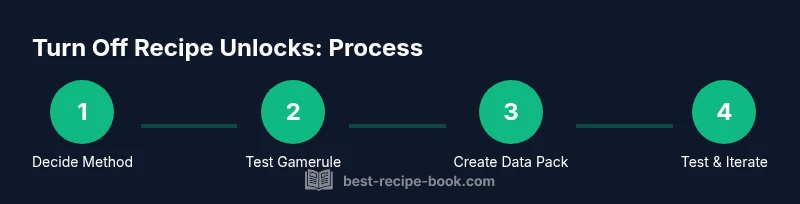
In Minecraft Java Edition, you can turn off recipe unlocking by enabling the doLimitedCrafting game rule or by using a data pack to override recipes. Start by choosing your method, back up your world, then apply the changes and test in creative to verify the recipe book stops auto-unlocking. This guide walks through both approaches.
What turning off recipe unlocking means in Minecraft Java
Turning off recipe unlocking means controlling when new crafting recipes appear in your crafting menu, usually by preventing automatic unlocking as you acquire new items. For players running servers or custom maps, this can help create a controlled progression or challenge. In this guide, we examine how to turn off recipe unlocking in minecraft java, what it changes in gameplay, and how to test changes safely. By understanding both vanilla options and data-pack based tweaks, you’ll be able to tailor crafting progression to your world.
This topic often comes up for players who want to curate the progression path, teach new players fewer shortcuts, or simulate specific scenarios where equipment unlock is delayed. While not every version supports every technique, the fundamental idea remains: either constrain the built-in recipe book through a game rule or replace/override the default recipes with a data pack. The Best Recipe Book team emphasizes thoughtful testing and clear documentation before making changes in a live world.
Vanilla behavior: How Minecraft's recipe book reveals recipes
Minecraft’s recipe book is designed to gradually reveal recipes as players acquire relevant ingredients. By default, the game assumes players should unlock recipes as they progress. This intuitive flow can conflict with the goals of a controlled challenge or custom map. Understanding the base behavior helps you decide whether you should modify unlocking at all. You’ll notice that some items unlock only after obtaining certain blocks or items, while others unlock immediately when you have the materials. This section explains the mechanics you’ll be working with when attempting to turn off recipe unlocking in minecraft java.
The core concept to grasp is that recipe visibility is tied to player inventory progression and the internal recipe registry. If your aim is to stop unlocking entirely, you’ll need to introduce a mechanism that freezes progression, either through vanilla game rules or through a data-pack–driven override. The more you know about the default flow, the easier it will be to implement a robust, testable solution.
Using game rules to influence recipe unlocking
A straightforward vanilla option is the
Creating a data pack to customize recipe visibility
For more granular control, a data pack allows you to redefine, hide, or replace recipes, giving you precise command over what’s visible in the recipe book. Creating a data pack starts with a pack.mcmeta file and a data/ folder structure. You can define custom recipes, override existing ones, or suppress certain unlock conditions. This approach requires a bit more setup but yields consistent behavior across worlds and versions where data packs are supported. Always test your data pack in a local world first and keep a backup handy.
Your data pack will typically include a minimal pack.mcmeta, a data/minecraft/recipes directory (or your own namespace), and recipe JSON files that reflect the changes you want. When applied, the pack alters what the game can present in the recipe book, effectively turning off or reshaping recipe unlocking for selected items. Documentation and examples from the Minecraft community can help you craft the exact overrides you need, and you can version-control your packets for future updates.
If you’re new to data packs, start with a small, non-destructive override (e.g., hide one or two recipes) to confirm the process works before expanding to a broader set of changes. This method is powerful but requires careful planning and testing to avoid breaking core gameplay.
Testing, pitfalls, and rollback strategies
Testing is essential when you change how recipes unlock. Start with a fresh test world to isolate the effect from your primary save. Use both creative and survival contexts to verify that the intended unlocking behavior holds across different play styles. If you rely on a gamerule, keep a log of the exact commands you used and revert them if the results are not as expected. For data packs, test by loading the pack in a clean world, then gradually roll out to your main world after confirming stability.
Common pitfalls include accidentally locking essential recipes (like those needed to open up iron or diamond progression), conflicting data packs, and version-specific syntax differences. Always keep a clean backup, and consider maintaining a simple “undo” data pack that restores the original recipe set if you need to revert quickly. If you encounter issues, disable or remove the data pack and restart the world to confirm the baseline behavior.
Comparative options: performance, compatibility, and community resources
When deciding between gamerules and data packs, weigh the trade-offs. Gamerules are quick and reversible but offer broad, less precise control. Data packs give fine-grained control and are better for custom maps or servers but require technical steps and careful version checks. Consider your audience, whether you’re playing solo, sharing a server, or running a map with public download. Community resources, tutorials, and example packs from reputable Minecraft communities can speed up implementation while keeping you aligned with best practices.
Performance differences are typically negligible for a few recipe adjustments, but large-scale data packs with many overrides could introduce minor overhead. Always profile world loading times and in-game menu responsiveness after applying changes. Documentation from major Minecraft education or university sites can help you understand how datapacks interact with game mechanics across versions.
Should you turn off recipe unlocking? A decision checklist
- Do you need to constrain progression for a map or challenge?
- Are you comfortable maintaining a data pack or using gamerules?
- Will players have access to the necessary tools for troubleshooting and rollback?
- Could adjustments affect essential crafting paths in survival mode?
- Do you have a backup strategy and version control for your changes?
If you answer yes to these questions, turning off or reshaping recipe unlocking can be valuable. If not, a lighter approach or leaving default progression might be preferable to avoid frustration for new players and ensure compatibility across future updates.
Tools & Materials
- Computer or device with Minecraft Java Edition(Ensure you can run the game and access the world files)
- Backups and storage(Back up your world before making any changes (local or cloud))
- Text editor (e.g., VS Code)(For editing pack.mcmeta and JSON files in data packs)
- Access to world save folder(Needed to place or remove datapacks and test changes)
- Zip utility(Useful for bundling datapacks into a single archive)
- Basic command knowledge (optional)(Knowledge of /gamerule and commands can speed setup)
Steps
Estimated time: 1-2 hours
- 1
Decide on your method
Identify whether you want a quick vanilla-based change using gamerules or a more granular approach via a data pack. Your choice will determine the rest of the setup and testing. Start by confirming your Minecraft version and whether you are modifying a single player world or a server environment.
Tip: Version differences matter; if you change versions, re-test due to potential syntax changes. - 2
Back up your world
Create a full backup of your save folder, including the world and any datapacks you plan to use. Store the backup in a safe location separate from the working directory. This ensures you can restore if anything goes wrong.
Tip: Label backups with date and method so you can revert quickly. - 3
Enable the gamerule (vanilla option)
If you choose the vanilla route, open your world and run the command to set the doLimitedCrafting gamerule to true. This will limit recipe unlocking according to the game’s progression rules. Observe how the crafting menu responds in a controlled test area.
Tip: Test in a safe creative area to avoid impacting survival progression. - 4
Test in creative mode
Open a crafting table and verify which recipes appear as you place items. Compare with the default behavior to confirm the effect of the gamerule. Document any recipes that still unlock unexpectedly.
Tip: Use a controlled item set to isolate changes. - 5
Create a minimal data pack skeleton
If you’re pursuing a data pack approach, create a minimal skeleton with pack.mcmeta and a data namespace. This establishes a safe foundation for adding recipe overrides and visibility rules without disrupting other game data.
Tip: Keep changes small at first to validate the pipeline. - 6
Add a targeted recipe override
Add a JSON file that overrides or hides specific recipes you want to control. Start with one or two simple recipes to confirm the pack loads correctly and the UI reflects the changes.
Tip: Document every file you add for future maintenance. - 7
Package, install, and test
Package the datapack (zip or folder) and install it into the world’s datapacks folder. Reload or restart the world and test across different gameplay modes to ensure consistent behavior.
Tip: If issues occur, remove the datapack and revert to the backup to compare results. - 8
Review, iterate, and rollback
Review the results, adjust as needed, and maintain a rollback plan. If you need to revert, disable the gamerule or delete the datapack and reload the world.
Tip: Keep a change log for future updates.
People Also Ask
Can I turn off recipe unlocking in every Minecraft version?
Not every version supports the same methods. Vanilla gamerules exist in many versions, but datapack structures and capabilities vary. Always check the version-specific documentation and test in a safe world.
There isn’t a universal method that works in all versions; check your version and test.
Will turning off recipe unlocking affect server performance?
In most cases, the impact is minimal, but datapacks with many overrides can add minor overhead. Monitor performance after implementing changes and adjust accordingly.
Performance impact is usually small, but test first.
Do I need cheats enabled to apply gamerule changes?
Yes, to change gamerules you typically need operator privileges or enabling cheats in a single-player world. This allows you to run the necessary commands.
You’ll need cheats enabled or admin rights to adjust rules.
How do I revert changes if something goes wrong?
Disable the gamerule or remove the datapack, then reload the world to restore default behavior. Always keep a backup to revert quickly.
Just disable the rule or delete the datapack and reload.
Are there risks using data packs to control recipes?
Yes, incorrect JSON or namespace conflicts can break pack loading. Start with a small, isolated test pack before expanding.
There are potential loading issues if the pack isn’t built correctly.
What’s the best approach for a classroom map?
For classrooms, start with gamerules for quick wins, then introduce a small datapack to demonstrate controlled progression with clear documentation.
Begin with simple rules, then add a datapack for classroom clarity.
Watch Video
Key Takeaways
- Turn off recipe unlocking with vanilla gamerules or data packs.
- Back up before making changes; test in a controlled environment.
- Data packs offer precise control at the cost of added setup work.
- Vanilla gamerules are quick but broader in impact.
- Always verify changes across modes and versions.