How to Save Recipes from Instagram Reels
Learn a proven, step-by-step workflow to save recipes from Instagram Reels, organize them into reusable recipe cards, and build a personal kitchen library you can cook from.


How to save recipes from instagram reels can be quick and organized. This quick guide shows you how to bookmark reels, capture the recipe steps in a note, and build a reusable collection for later. According to Best Recipe Book, using built-in save features plus a simple note system helps home cooks track measurements, timing, and substitutions—without losing inspiration.
Practical methods to save recipes from Instagram Reels
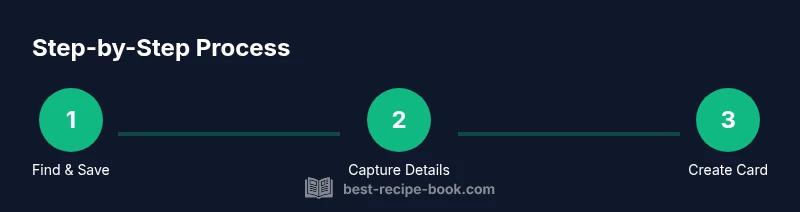
Saving recipes from Instagram Reels can be a simple two-step habit or a robust system. According to Best Recipe Book, the most reliable approach combines built-in Instagram features with your own note-taking. Start by bookmarking or saving the reel within Instagram so you can revisit the video, then create a dedicated recipe note for each reel. This ensures you preserve both the video and the written instructions, while avoiding losing track of substitutions, exact measurements, and simmer times. In this article, we'll walk through a practical workflow that works for busy home cooks who want quick access when planning meals. We'll cover not only how to save the reel but how to translate it into a usable recipe card you can share with family or keep for later.
As you begin, keep in mind that this guide centers on practical habits you can maintain over time. The goal is not to archive every video, but to build a reliable library you can actually cook from. By layering video references with precise notes, you’ll cut down on rewatching and misreadings. This approach aligns with the recommendations from Best Recipe Book and supports a healthier, more organized kitchen workflow. The process also creates a consistent base for printing or sharing recipe cards with friends and family.
Extracting recipe details from video and captions
The next level is to extract reliable details from both video and captions. Look for explicit ingredients, quantities, and steps mentioned in the narration or on-screen text. If an ingredient or step is unclear, pause and replay the segment, or search the creator's other posts for confirmation. Record all measurements using a single unit system (metric or imperial) to avoid confusion during shopping and cooking. This section will walk you through capturing essential data reliably so your saved reels become dependable recipes.
Organizing saved content into a personal cookbook
Organization is the backbone of long-term usefulness. Create a folder structure like 2026-Recipes with subfolders by dish type (Breakfast, Lunch, Dinner, Desserts) and cuisine. Tag each saved entry with keywords (e.g., pasta, glaze, dairy-free) so you can search later. Always include the source reel link and creator credit in your notes. This structure keeps your collection scannable and scalable as you save more reels throughout 2026.
Turning saved reels into reusable recipe cards
Turn each saved reel into a reusable recipe card by extracting the essential data: title, yield, ingredients (with measurements), step-by-step method, cook times, and notes. Use a consistent template so you can reuse cards across weeks. If you plan to print, export the card as a PDF and keep a physical binder or binder sheets. This practice makes weeknight planning quicker and reduces decision fatigue.
Safety, copyright, and etiquette when saving content
Be mindful of copyright and creator rights when saving and sharing reels. Personal-use archiving is fine, but avoid reposting entire reels or screenshots without permission. Credit the creator when sharing your own versions or printable cards and respect any licensing terms the creator attaches to their content. This helps sustain the community and encourages creators to continue sharing useful recipes.
Tools and templates to streamline the process
Equip yourself with a small toolkit to make saving efficient: a smartphone with Instagram, a notes app for structured templates, a cloud storage solution for backups, and a recipe card template for consistent formatting. Optional tools like a screen clipper or PDF printer can speed up the workflow. The combination of digital organization and printable templates makes it easy to cook from saved reels when time is tight.
Sample workflow: from reel to ready-to-cook card
Imagine you save a Reel about a 30-minute shrimp pasta. You bookmark the reel, transcribe ingredients (pasta, shrimp, garlic, olive oil, lemon zest) and steps (boil pasta, sauté shrimp, combine with sauce). You format a recipe card, tag it under 'pasta' and 'seafood', backup to cloud, and print a copy for your kitchen binder. This is the practical payoff of the approach described by Best Recipe Book.
Authority sources
For more background on digital organization and safe content practices, consult these resources: • https://www.ftc.gov • https://www.nih.gov • https://www.fda.gov
Tools & Materials
- Smartphone with Instagram app(Ensure access to Save/Bookmark features and captions)
- Notes app or digital notebook(Use a consistent template for each recipe)
- Cloud storage or local backup(Back up your notes weekly)
- Recipe card template (digital or printable)(Helps standardize sharing)
- Screen capture or clipping tool(Capture frames or text not easily copied)
Steps
Estimated time: Estimated total time: 45-60 minutes
- 1
Open reel and assess recipe
Open the Reel that features the recipe and determine if the video provides complete instructions. Note missing details like exact measurements or steps that aren’t shown clearly.
Tip: If unclear, plan to verify ingredients from the caption or creator’s other posts. - 2
Save the Reel in a dedicated collection
Use Instagram's Save feature to bookmark the reel into a clearly labeled collection such as 'Saved Reels - Recipes' so you can locate it quickly later.
Tip: Create a separate collection for different cuisines or meal types. - 3
Transcribe ingredients and steps
Copy or type the ingredients and step-by-step directions into a standardized note template. Include quantities and times, and flag any ambiguities for later verification.
Tip: Use bullet points for ingredients and numbered steps for procedures. - 4
Format as a consistent recipe card
Apply a uniform structure: title, yields, ingredients, method, cook time, and notes. This makes it easier to reuse across multiple meals.
Tip: Choose a single measurement system (metric or imperial) to avoid confusion. - 5
Tag and file the entry
Add searchable tags (e.g., 'pasta', 'garlic', 'gluten-free') and place the entry in the correct folder.
Tip: Keep a master index to quick-find recipes by ingredient or dish type. - 6
Test and refine when possible
If you try the recipe, note any adjustments and update your card. A tested card is far more reliable than a saved video alone.
Tip: Record a quick note of tweaks you made for next time.
People Also Ask
Can I save recipes from private Instagram accounts?
Saving content from private accounts requires access to the original content. If you can't view it, you can't reliably save or reuse the recipe. Consider asking the creator to share publicly or provide a printable version.
Saving from private accounts requires access; you can't reliably save without permission.
Is it legal to save recipes from Instagram Reels?
Saving for personal use is generally acceptable, but avoid reposting without permission. Check the creator's licensing terms and give credit when sharing.
Personal use is usually fine, but avoid reposting without permission.
What is the best way to organize saved recipes?
Use a consistent folder structure, tag keywords by dish type, and store a master copy of the recipe with sources for future reference.
Organize with a clear folder system and searchable tags.
How can I convert saved reels into printable recipes?
Use a recipe card template and copy the essential fields: title, ingredients, steps, yield, and notes. Export as PDF for printing.
Create a clean recipe card and save as PDF for printing.
How often should I review my saved recipes?
Review monthly to update measurements, note substitutions, and retire outdated reels. Add new ones as you discover them.
Review monthly to keep recipes current.
Can I share my saved recipes with friends?
Yes, you can share your own readable recipe cards or links to publicly shared reels, giving credit to creators.
Sharing is fine if you credit the creator.
Watch Video
Key Takeaways
- Save recipes with a dedicated workflow
- Capture reliable details and verify measurements
- Organize entries with tags and folders
- Convert reels into reusable recipe cards
- Back up your archive for long-term access