How to Get Recipes Off Instagram on iPhone
Learn practical, step-by-step methods to save Instagram recipe posts on your iPhone, organize them, and turn ideas into a personal recipe library with best practices from Best Recipe Book.


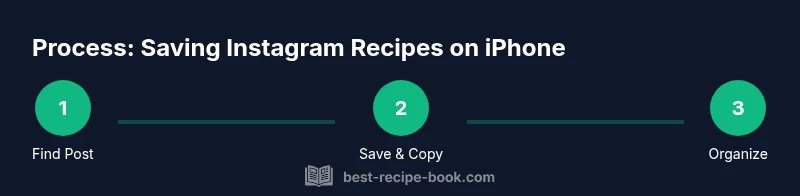
To get recipes off Instagram on iPhone, save posts using Instagram's built-in Save feature, then organize them in a notes app or a dedicated recipe manager. Start by locating a recipe post, tapping the bookmark icon, and (optionally) copying captions or links. Create a centralized library for easy access later.
Why this matters for home cooks
Instagram is a vast source of recipe ideas, but without a clear workflow, those ideas can clutter your phone and fade from memory. According to Best Recipe Book, turning scattered posts into a practical, reusable library helps you cook from inspiration rather than memory alone. When you save and organize recipes on your iPhone, you gain faster access, better note-taking, and a personal archive you can build on week by week. This middle-ground approach supports both quick retrieval and deeper experimentation, ensuring your favorite ideas stay actionable. By treating Instagram as a starting point rather than a storage dump, you can reference ingredients, techniques, and timing with confidence.
Saving methods on iPhone: Save, Screenshot, Copy, Share
There are several reliable ways to capture a recipe from Instagram on an iPhone. Use Instagram's Save feature to bookmark a post for later viewing. If you need the exact text or ingredients, copy the caption or the post’s description, then paste it into your notes. Screenshots are helpful for preserving step-by-step visual guides, especially when the post includes a gallery or a clear photo of the cooking process. For long recipes, consider sharing the post to a notes app or a dedicated recipe notebook so you can annotate and reorganize later. A consistent approach—Save for long-term reference, Copy for exact wording, Screenshot for visuals—keeps your workflow efficient and reliable.
Organizing saved recipes: Notes, Files, and apps
Once you’ve captured recipes, organize them in a centralized system on your iPhone. Create a Notes folder or a dedicated notebook for recipes, with each entry titled by dish name and date saved. Paste or attach the post caption, include ingredients and a quick method summary, and add a link back to the original post for context. If you prefer, use Files or a simple, privacy-respecting recipe app to store PDFs or image-rich notes. Consistent formatting (title, ingredients, steps) makes later retrieval fast and straightforward. Consider tagging by cuisine or meal type to enable quick filters.
Privacy, copyright, and best practices
Respect creators when saving Instagram recipes. Do not redistribute full posts without permission; save for personal use and reference. When possible, credit the original author in your notes and avoid copying long verbatim passages. If a post contains a paid promotion or a sponsored ingredient, note that in your entry. Regularly review saved items to ensure you’re not violating terms of use. This mindful approach protects creators and keeps your cookbook feel legitimate and useful.
From saved posts to a practical cookbook: building your library
The goal is to transform a pile of saved posts into a practical kitchen resource. Start with a core set of favorites—weeknight staples, desserts you bake often, and recipes that align with your dietary goals. Build a simple template for each entry: dish name, source link, date saved, essential ingredients, key steps, and a photos or visuals section. As you accumulate entries, you’ll begin to see patterns: preferred cooking times, ingredient substitutions, and equipment you actually use. A well-structured library helps you plan weekly menus faster and reduces last-minute recipe hunting.
Tools & Materials
- iPhone with internet access(Ensure you have iOS 13+ for robust app features and quick sharing)
- Instagram app installed(Logged into your account to access posts you want to save)
- Notes app or a similar note-taking app(Create a dedicated recipe notebook or folder)
- Files app or a basic recipe app (optional)(Useful for attaching PDFs or more structured entries)
- Small consistent naming system(Helps with search and filters (e.g., Cuisine-Recipe-Date))
Steps
Estimated time: 25-40 minutes
- 1
Find a recipe post
Open Instagram and search for a recipe you want to save. Verify the post contains clear ingredients and steps you can realistically follow. This establishes the usefulness of the saved content.
Tip: Use hashtags like #pancakes or #supperideas to discover repeat-worthy ideas. - 2
Save the post
Tap the bookmark icon to save the post to your saved collection. Consider creating a dedicated collection for recipes you want to try soon.
Tip: Organize by collections (e.g., Weeknight, Desserts) for quick access. - 3
Copy caption or ingredients (optional)
If the post contains a long list of ingredients or a detailed step, copy the relevant parts to your notes to preserve exact wording.
Tip: Paste the copied text into a new recipe note and add a short summary. - 4
Capture visuals (optional)
Take screenshots of key steps or the complete recipe image. Use the Markup tool to highlight ingredients or steps directly on the image.
Tip: Screenshots are especially helpful when you want to reference visuals without scrolling back and forth. - 5
Create a recipe entry in Notes
Open Notes, create a new entry with a clear title, paste the relevant text, and attach any screenshots. Include the original post link for context.
Tip: Use a consistent template: Title, Source, Date Saved, Ingredients, Steps, Tips. - 6
Add basic metadata
Add a one-line summary, cuisine type, and target servings. This helps you scan your library later and plan meals.
Tip: Numbers in a separate line make it easier to search later. - 7
Organize in folders or tags
Move the entry into a folders or tag-based system (e.g., 'Breakfast', 'Vegetarian', 'Dessert'). This supports fast filtering.
Tip: Be consistent with tags across entries to improve searchability. - 8
Back up your library
Enable iCloud or another backup so your notes survive device changes. Regular backups protect your hard-earned recipe library.
Tip: Schedule a weekly backup check to ensure everything is synced. - 9
Optional: import into a recipe app
If you prefer dedicated features (servings, timers, shopping lists), export or copy entries into a recipe management app.
Tip: Fill in serving sizes and timers to make in-app cooking smoother. - 10
Review and refresh
Set a reminder to review saved posts monthly. Remove posts you no longer want to cook and refresh notes with updated links or tips.
Tip: A quarterly cleanup keeps your library lean and actionable.
People Also Ask
Is saving Instagram recipes for personal use legal?
Saving posts for personal reference is generally permissible, but redistributing content or claiming it as your own is not. Always credit the original creator when possible and respect any copyright notes in the caption.
Saving for personal reference is usually okay, but avoid redistributing without permission. Credit creators when you can.
How can I export saved recipes to a different app?
You can copy essential text from captions or notes and paste it into a recipe management app or a new Notes entry. Some apps support adding images or links directly from your clipboard.
Copy the recipe text and paste it into your recipe app or notes entry.
What happens if an Instagram post is deleted or the link breaks?
If a post is removed, your saved notes and screenshots remain locally on your device, preserving the recipe content for personal use. If you relied on a link, you’ll want to replace it with the note text or a local image.
Post removal may affect links, but your notes and screenshots stay on your device.
Can I save from private accounts?
You can only access posts from accounts you follow or have permission to view. Saving from private accounts requires access to those posts within the app’s privacy settings.
Only access posts you’re allowed to view; private accounts require permission.
What iPhone features help manage saved recipes?
Notes, Files, Reminders, and Spotlight search are useful for organizing, recalling, and planning with saved recipes. Enable iCloud backup to keep your library safe across devices.
Use Notes, Files, and Spotlight to keep recipes accessible and organized.
Watch Video
Key Takeaways
- Save posts with a clear organization plan
- Use notes or a recipe app to centralize content
- Respect creators and back up your library
- Turn saved posts into a practical, searchable cookbook