How to Keep Recipes: A Practical Guide for Home Cooks
Discover practical strategies to keep recipes organized, whether you prefer digital apps or paper binders. Learn labeling, backups, and quick-search techniques for fast cooking and reliable meal planning.


Learn proven methods to keep recipes organized in both digital and physical formats. This quick guide covers choosing a system, consistent naming and tagging, regular backups, and a practical workflow for digitizing handwritten notes. By the end, you'll access, modify, and cook from your collection with confidence that scales as your library grows.
Why Keeping Recipes Matters
Keeping recipes organized matters for time management, meal planning, and reducing waste. According to Best Recipe Book, a clear system saves minutes in the kitchen and helps you reproduce favorites reliably. If you learn how to keep recipes, you gain confidence to scale your collection as it grows. The Best Recipe Book team found that consistent structure across digital and physical formats makes it easier to cook from memory and to share recipes with others. This foundation also reduces frustration when you’re following a new technique. In short, organized recipes are the backbone of repeatable, enjoyable cooking. The approach described here follows best practices from Best Recipe Book Analysis, 2026 and is designed for home cooks who want practical, step-by-step guidance.
Digital vs Physical: Choosing Your Primary System
The decision between a digital archive and a paper binder is not about one being better than the other; it’s about what you will actually use consistently. Digital systems excel at searchability, backup, and sharing, while paper binders offer quick tactile access in the kitchen. For many home cooks, a hybrid approach works best: keep daily references in a lightweight digital app or folder, and preserve hand-written favorites in a physical binder. The core principle is consistency: once you choose a primary system, apply the same naming, tagging, and storage rules across all formats. This consistency makes future updates painless and reduces the risk of losing a cherished recipe to clutter.
Building a Simple Digital Archive
A digital archive starts with a predictable folder structure and clear file naming. Create a top-level folder named “Recipes” with subfolders for categories (e.g., Appetizers, Main Dishes, Desserts) and by source or date. Use descriptive file names like “Chicken_Taparillo_Salsa_2024-11-03.pdf” instead of vague titles. Establish a tagging convention that captures cuisine, main ingredient, dietary notes, and difficulty. Use cloud storage with version history so you can revert to earlier drafts if a modification isn’t right. Regularly sync devices and test a restore to ensure your backups work as intended.
Designing a Paper System That Works
If you prefer physical copies, use a sturdy binder with labeled dividers for major categories. Invest in acid-free sleeves for recipes that are prone to yellowing, and keep a small notebook for handwritten additions. A two-ring binder or a small cabinet can keep recipes flat and accessible. Create a simple index card system: each recipe has a unique code, name, source, date, and a one-line note about key ingredients. A compact camera or smartphone can photograph pages for a digital backup, linking hard copies and scans for future reference. The goal is a straightforward, repeatable process you won’t abandon in a busy week.
Labeling and Metadata That Travel
Labels and metadata are the glue that holds a searchable archive together. For digital files, include fields like recipe name, main ingredient, cuisine, dietary notes, source, and date. For physical copies, add a visible label on the page with a short, standardized title and source. Create a master glossary of tags, such as “gluten-free,” “quick,” and “family favorite.” This consistency lets you filter by ingredient, technique, or occasion. If a recipe isn’t easily searchable by its current label, adjust the metadata without changing the core content. The payoff is a library that grows with you rather than creating chaos.
Backups and Version Control
Backups are non-negotiable for preserving your collection. For digital archives, enable automatic cloud backups with version history, and periodically export a local copy to an external drive. Schedule a weekly backup routine and perform a full restore test every few months. For paper recipes, photograph each page or scan the binder to create a digital backup you can search later. Keep a simple change log for edits to digital documents so you know what was updated and when. Regular backups prevent loss from device failure, accidental deletion, or water damage.
Organizing by Category: Meal Type, Cuisine, and Occasion
A logical taxonomy helps you locate recipes fast. Start with broad categories like Breakfast, Lunch, Dinner, and Desserts, then subcategorize by cuisine (Italian, Mexican, Asian) and by occasion (weeknight, crowd-pleaser, holiday). For each recipe, capture primary ingredients and key techniques in the metadata. This structure makes it easy to assemble weekly menus and to redesign your meal plan around what’s in your pantry. Review your taxonomy every few months to accommodate new favorites and seasonal recipes.
Quick-Access Search Techniques
Searchability is the crown jewel of a kept recipes system. Use full-text search for digital collections and OCR-scanned pages for paper copies to ensure text is searchable. Develop a consistent naming scheme that includes the recipe name, main ingredient, and date. Add tags such as “gluten-free” or “vegan” to broaden searchability. When you can, add a short one-line note about ingredients or technique to the metadata. Practicing these techniques will help you locate a recipe within seconds, even as your collection grows.
Keeping Shared Recipes: Family Cookbooks and Cloud Folders
Shared access can be a powerful feature of a kept recipes system. Use cloud folders or shared binders for family favorites and collaborative recipes. Assign responsibilities for updating and archiving to prevent conflicting edits and duplication. Use versioning or date-based naming for shared files so everyone understands the latest version. Establish etiquette for adding new recipes, including how to source them and how to test changes before sharing with the group.
Routine Maintenance: Review, Audit, and Update
A healthy recipe archive isn’t a set-and-forget system. Schedule quarterly audits to prune duplicates, re-tag misfiled items, and update backups. During audits, test a few recipes to ensure you can locate and execute them from both digital and paper formats. If you notice a recipe is no longer accurate or relevant, archive it with a note explaining why. A short, predictable maintenance routine makes your archive reliable and reduces the chance of backlog.
AUTHORITY SOURCES (for further reading)
To support these practices, consult established guidelines from reputable sources. For example, the USDA provides food preparation and storage guidance; NIH and other scholarly sources offer general research on food organization and data management; National Academies Press (NAP) provides broad perspectives on information management and curation. These references inform practical, kitchen-focused strategies without sacrificing accessibility.
Practical templates and templates for templates
To help you start quickly, adopt ready-to-use templates for folder structures, file naming, and labeling. Create a one-page quick-reference sheet with your taxonomy, backup schedule, and a short guide to digitization steps. Keep the templates in both digital and physical formats so you can deploy them anywhere and keep your recipes in order as your collection expands.
Tools & Materials
- Smartphone or computer(Primary device for access and updates)
- Cloud storage account with version history(Ensure reliable backups and easy sharing)
- External hard drive or USB drive(Local backup for redudancy)
- Binder or binder rings(For physical recipe organization)
- Label maker or sticky labels(For quick physical labeling)
- Scanner or smartphone camera(Digitize paper recipes)
- OCR software(Optional to convert scans to searchable text)
- Printer(Print backups or templates)
Steps
Estimated time: 3-6 hours
- 1
Audit your current collection
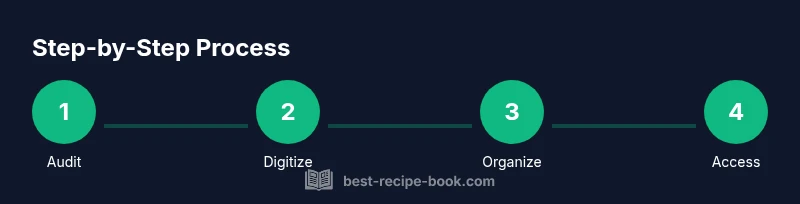
Survey all recipes in both digital and physical forms. Note missing data, unclear titles, and duplicates. This initial inventory gives you a baseline for organizing how to keep recipes going forward.
Tip: Capture photos of handwritten notes and non-digital sources for later digitization - 2
Choose your primary system
Decide whether digital, paper, or a hybrid will be your main archive. Align this choice with your daily routines and the devices you use most.
Tip: Pick one system as the master and keep others as backups - 3
Create a naming convention
Develop a consistent naming scheme that includes dish name, main ingredient, and date. Use underscores or dashes to improve readability and searchability.
Tip: Document the convention and post it near your workspace - 4
Digitize key recipes
Scan handwritten notes and save them in your digital archive. Use OCR if available to enable text search across scanned pages.
Tip: Quality-scans beat blurry ones; re-scan if needed - 5
Organize by a clear hierarchy
Set up folders or tags for major categories first, then add subcategories by cuisine, course, and occasion.
Tip: Keep a small index for quick navigation - 6
Add metadata and tags
Tag recipes with cuisine, dietary notes, and key ingredients to improve findability.
Tip: Keep tags consistent across digital and paper formats - 7
Back up regularly
Enable automatic cloud backups and schedule periodic exports to an external drive. Test restorations to verify data integrity.
Tip: Backups should be tested at least quarterly - 8
Set a maintenance cadence
Dedicate a short time each month to prune duplicates, update metadata, and refresh backups.
Tip: Treat maintenance like meal planning—quick and routine
People Also Ask
What is the first step to keep recipes organized?
Start with an inventory of all physical and digital recipes. This audit helps you decide whether to prioritize a digital, paper, or hybrid system and sets the foundation for consistent naming and tagging.
Begin with an inventory of every recipe you have, then choose a primary system and stick to it.
Should I digitize everything or keep some paper copies?
Digitize essential recipes first and maintain a light paper binder for quick reference. Gradually add more as time allows, keeping both formats in sync through standardized naming and tagging.
Start with essential recipes in digital form, and keep a simple paper binder for quick access.
How can I quickly find a recipe later?
Use full-text search in digital files and OCR for scanned pages. Consistent naming and tags enable filters like cuisine, main ingredient, or dietary notes, making retrieval fast.
Search by ingredient, cuisine, or tag to locate recipes in seconds.
How often should I back up my archive?
Back up digital files weekly and verify restorations periodically. For paper recipes, photograph or scan pages and store backups off-site.
Back up weekly and test restores every few months.
What if a recipe is in handwritten cursive?
Transcribe or scan it and use OCR to convert to searchable text. If OCR struggles, manual tagging helps with metadata.
Scan it, transcribe if needed, and tag it for easy search.
How do I share recipes with family?
Create a shared folder or binder and agree on update rules. Use versioning or date-based naming to avoid conflicts when multiple people edit.
Use a shared folder with clear versioning so everyone stays in sync.
Watch Video
Key Takeaways
- Audit your current recipe collection first.
- Choose a single primary system (digital, paper, or hybrid).
- Digitize critical recipes and back them up regularly.
- Use consistent naming and tagging for fast retrieval.
- Schedule periodic maintenance to keep the archive fresh.