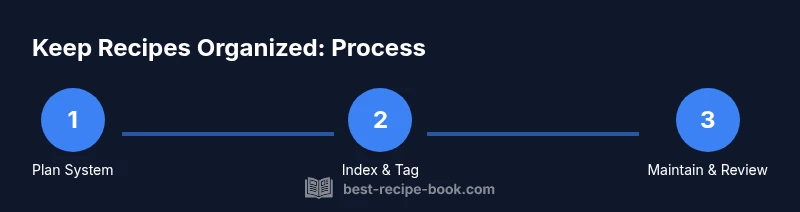
How to Keep Recipes Organized: A Practical Guide
Master a practical, scalable system to organize recipes—digital and physical—so you save time, avoid duplicates, and cook with confidence. Learn naming, tagging, templates, and maintenance for a sustainable collection.


You're about to learn a practical system to keep recipes organized. This quick guide covers choosing a storage method, tagging and indexing, and a starter workflow you can implement today. Expect step-by-step actions, tools to assemble, and simple templates you can customize for family favorites and weekly meal plans. This format works for both seasoned cooks and beginners.
Why keep recipes organized?
According to Best Recipe Book, keeping recipes organized saves time, reduces duplicated effort, and improves meal planning. When you can locate a recipe in seconds, you spend more time cooking and less time searching. This section lays the foundation: why organization matters, what a well-organized collection looks like, and the psychology of kitchen flow. You’ll learn to define a personal organizing philosophy and pick a system that fits your cooking style. Start by identifying your primary goals: faster access during weeknights, easier Sunday meal prep, and a clear archive for family favorites. Then consider how you prefer to access recipes: a physical binder you flip through, a digital folder structure, or a dedicated recipe app. The most important point is consistency: once you settle on a method, apply it across all sources and maintain uniform naming, folders, and tags. This builds confidence and reduces kitchen stress.
Choosing a system: digital vs physical
Your decision sets the tempo for how you store and retrieve recipes. A physical binder or card system offers tactile ease and a sense of craft, but digital options provide searchability, easy backups, and cross-device access. If you cook from many sources, a hybrid approach often works best: staple favorites in a binder for quick browsing, with digital copies of PDFs and web clippings in a cloud folder or recipe app. When evaluating options, consider access speed, backup reliability, future scalability, and your comfort with technology. Include security if needed for paid recipes and ensure you can share your system with family. A well-chosen system reduces friction during busy weeks and frees headspace for experimentation. Best Practice: choose one main path and supplement with a secondary method to cover rare sources. Consistency is the key.
Crafting a consistent naming convention
A clear naming convention makes it trivial to locate and compare recipes. Use a standard format like DishName – Source – Year or Version. Examples: Spaghetti Bolognese – Grandmother’s Cookbook – 1987; Lemon Chicken – NYT Cooking – 2024. Keep the source field consistent and include version or notes when a recipe is updated. Avoid ambiguous labels such as Recipe 12 or Untitled; descriptive names keep your index readable. If you work with clipped recipes, add a source tag or page number to each entry. For digital files, apply the same naming rule to PDFs, images, and notes so a simple search returns all related items. Periodically audit names to align with your current taxonomy and remove duplicates.
Tagging, indexing, and searchability
Tags unlock instant retrieval. Build a small but expressive tag vocabulary: meal type (breakfast, lunch, dinner), main ingredient (chicken, pasta), cuisine (italian, indian), dietary needs (gluten-free, vegan), and season (summer, holiday). Create an index that maps DishName to a set of tags, plus a short one-line note on why this recipe is helpful. Use hierarchical folders or searchable metadata fields in a digital system. Consistent tagging pays off when you want to plan weekly menus or pull all gluten-free dinners. If you keep a physical collection, print or write tags on dividers and use color-coded labels. For digital storage, leverage search operators and filters to quickly narrow results by ingredient, course, or source.
Templates that speed entry and ensure consistency
Templates save time and reduce errors when entering new recipes. Consider these core templates: a) Quick entry template for handwritten notes; b) Digital entry form for your chosen app or spreadsheet; c) Printable recipe card with fields for name, source, ingredients, steps, notes, and tags. A typical digital template might include: Dish name, Source, Date added, Servings, Key ingredients, Step-by-step, Tags, Notes. Use bold headings for the recipe sections so future edits stay clean. Include a small area for ratings and a calendar cue if you plan to cook this dish in the future. You can also create a master index template that links each recipe to its tags and to related meals in your meal plan.
Practical workflows: daily, weekly, and seasonal routines
A simple workflow keeps your system alive. Daily, add any new recipes you find and tag them appropriately. Weekly, review recent additions, merge duplicates, and file sources. Seasonal routines help prune and refresh: in spring, reassess winter favorites; in autumn, spotlight comfort dishes; during holidays, ensure festive recipes are easy to locate. Align your workflows with meal planning: when you prepare a weekly plan, pull from your organized list and schedule shopping accordingly. Set reminders to back up digital files and print important updates. Build momentum by celebrating small wins, like filling a single section of your index or completing a batch of card entries.
Tools, apps, and hardware that help
You have options to match your preferred style. Physical systems: 3-ring binder with dividers, label maker, tabs, and pocket sheets to store clippings. Digital systems: cloud folders with a clear folder tree, a spreadsheet for a master index, and a lightweight recipe management app. Look for features such as full-text search, tagging, offline access, and collaboration capabilities for family members. If you opt for a hybrid approach, ensure your digital and physical naming conventions align and that you replicate key metadata across formats. Regular backups protect against data loss. Finally, make room on your kitchen desk for your system so you can update entries while cooking.
Maintenance and review: keep the system fresh
The strongest organization systems survive by routine maintenance. Schedule quarterly reviews to remove duplicates, update sources, and prune outdated notes. Back up digital data at least once a month and refresh templates to reflect evolving cooking styles. Encourage family members to contribute, which keeps the system relevant and enjoyable. Track progress with a simple KPI: time saved locating recipes, number of duplicates removed, and completion of the master index. A robust system scales with your collection, so plan for growth by adding new categories and tags as you go. By investing 30 minutes a week in upkeep, you protect the long-term value of your recipes and reduce kitchen friction.
Tools & Materials
- 3-ring binder or physical recipe binder(With dividers for sections (appetizers, mains, desserts))
- Divider pages and label maker(Color-coded tabs recommended for quick scanning)
- Pocket sheets or protective sleeves(For clippings and loose paper; helps protect favorites)
- Pen and sticky notes(Use for quick annotations and new entries)
- Index cards or printable templates(Standardized entry format for physical cards)
- Label maker or pre-printed labels(Keeps headings uniform across sections)
- Cloud storage folder structure(Replicate folder tree on your computer or device)
- Master index spreadsheet(Columns: Dish name, Source, Year, Tags, Notes)
Steps
Estimated time: 60-120 minutes
- 1
Define storage approach
Choose whether to start with a physical binder, a digital folder tree, or a hybrid. Define where the majority of recipes will live and ensure your choice supports easy backups and cross-device access.
Tip: Pick one primary method and keep a clear rule for adding new entries. - 2
Create naming convention
Decide on a standard format such as DishName – Source – Year. Apply it consistently to every recipe entry, including notes and backups.
Tip: Document the format in a one-page guide for quick reference. - 3
Build entry templates
Create templates for both physical cards and digital forms. Include fields for name, source, ingredients, steps, servings, and tags.
Tip: Keep fields minimal but purposeful to avoid entry fatigue. - 4
Gather existing recipes
Collect all clippings, PDFs, and notes. Sort them by the chosen storage method and begin aligning names and sources.
Tip: Set a timer (15–30 minutes) to avoid burnout and maintain momentum. - 5
Import and categorize
Enter each recipe into templates, assign tags, and position in your index. Create cross-links between related dishes (for meal planning).
Tip: Use a few core tags consistently to keep search simple. - 6
Schedule maintenance
Set recurring reminders to review and prune entries, update sources, and back up data.
Tip: Block 20–30 minutes quarterly for a thorough cleanup. - 7
Review and grow
As your collection expands, add new categories and refine your taxonomy. Celebrate small wins to stay motivated.
Tip: Track key metrics like time saved and duplicates removed.
People Also Ask
What is the easiest way to start keeping recipes organized?
Begin with a single storage method and a simple naming convention. Create one entry template and file a few favorite recipes to see how the system feels in practice.
Start with one storage method and a simple naming rule, then file a few favorites to test the system.
Should I prefer a digital or physical system for organizing recipes?
A hybrid approach often works best: keep quick access in a binder for a few go-to recipes and store digital copies for rest with searchability and backups.
A hybrid approach—binder for quick access and digital copies for broad search and backups.
How often should I review and prune my recipe collection?
Schedule a quarterly review to prune duplicates, update sources, and refresh tags. Regular reviews prevent build-up and keep content relevant.
Quarterly reviews help keep everything current and easy to find.
What should I do with old clippings and PDFs?
Digitize or refile into your chosen system. Attach notes about the source and any changes, then tag for easy retrieval.
Digitize or refile, add notes and tags for easy retrieval.
How can I share my organized system with family?
Document the workflow and provide access to the digital folder or a shared binder. Establish simple guidelines for adding new recipes.
Provide simple guidelines and shared access so everyone can contribute.
What if I have many sources in different languages?
Create language-aware tags and keep consistent naming in a common lingua franca. If needed, add notes about language to aid searchability.
Use language-friendly tags and notes to keep everything searchable.
Watch Video
Key Takeaways
- Define a single storage method and stick with it
- Use a clear naming convention for every entry
- Tag and index to enable fast searches
- Templates save time and improve consistency
- Schedule regular maintenance to keep the system fresh