How to Manage Recipes: A Practical Step-by-Step Guide
Learn how to manage recipes with a centralized system, standardized templates, and scalable workflows. Improve consistency, save time, and reduce waste in your kitchen.


You will learn how to manage recipes by building a centralized system for storing, organizing, and scaling your recipe collection. You'll set up a reliable archive, standardize naming and measurements, and create reusable templates for shopping lists and meal plans. This approach saves time, reduces waste, and improves cooking consistency.
Why a structured approach to recipe management matters
A well-organized recipe library saves time, reduces duplication, and makes it easier to scale meals for families or meal-prep sessions. According to Best Recipe Book, a structured system improves consistency across dishes and helps you recover a recipe quickly after weeks of neglect. The Best Recipe Book team found that home cooks who centralize their recipes report faster planning, more reliable results, and less anxiety before grocery runs. In this guide, you’ll see how to design a practical framework that translates from a cluttered collection into a living kitchen resource. By building a centralized archive with clear naming, standardized measurements, and reusable templates, you create a foundation you can reuse for weeknight dinners, special occasions, and batch-cooking projects.
This introduction emphasizes the why before diving into methods. You’ll also learn how a disciplined approach supports experimentation, seasonal cooking, and dietary accommodations. The goal is not to stifle creativity but to give you a reliable system that makes creativity easier to sustain over time.
Core pillars of recipe management
A robust recipe-management system rests on four pillars: naming conventions and metadata, a centralized storage solution, templates for recurring tasks, and a clear maintenance routine. First, agree on naming rules (recipe title, author, date, source) and metadata (servings, total time, cuisine, course, tags). Second, pick a storage approach that fits your life—cloud apps for accessibility, spreadsheets for transparency, or a binder for tactile comfort. Third, develop templates you can reuse for new recipes, grocery lists, and weekly meal plans. Fourth, commit to a maintenance cadence (quarterly audits, routine backups, periodic deduplication). The combination of these pillars helps you find and reuse recipes quickly, while keeping data accurate and up to date.
Think of metadata as the map that makes every recipe searchable. If you’re consistent about units, ingredients, and time, you’ll accelerate planning and reduce misinterpretations when you scale a dish for a crowd or modify it for dietary needs.
Choosing the right system
Choosing the right system is about fit, not fame. If you already live in a specific ecosystem, start there to minimize friction. A dedicated recipe-management app can offer tagging, version history, and easy sharing. A well-structured spreadsheet provides transparent formulas and quick filtering for custom meal plans. A binder or notebook remains appealing for tactile cooks who value offline access and a physical copy of core templates. Consider a hybrid approach: store primary recipes in a digital tool for searchability, and print essential templates for weekly planning and grocery runs. Whatever you choose, ensure you can back up data, import existing recipes, and update entries without breaking links or losing notes.
Your choice should support collaboration (if you cook with others), scalability (as your collection grows), and portability (across devices and kitchens). The key is to document your decision and enforce it consistently across all recipes.
Templates that save time
Templates are the backbone of efficient recipe management. A core recipe card template should include: Title, Source, Servings, Prep Time, Cook Time, Total Time, Ingredients (with quantities and units), Steps (numbered), Notes, and Tags. Create a Shopping List template that auto-extracts ingredients from selected recipes, a Meal Plan template for weekly planning, and a Pantry Inventory template to track on-hand items. Use one-click exports to printable recipe cards or digital shares. By standardizing templates, you reduce repeated work and ensure consistency across all entries. Templates also make it easier to onboard new cooks or guests who want to follow your methods.
For consistency, hard-code common units (cups, tablespoons) and adopt optional substitutions in the notes field so substitutions don’t alter the core structure of your data.
Organizing your collection for quick access
Organization is less about perfection and more about predictable retrieval. Start with a simple hierarchy: Collections (e.g., “Weeknight Dinners,” “Baking,” “Special Occasions”) → Recipes → Templates. Add robust tagging: cuisine, course, main ingredient, dietary notes, and skill level. Create smart folders or filters that show you “recipes with chicken under 30 minutes” or “vegan desserts.” Regularly scan for duplicates and move archived recipes to a “Needs Review” folder. Backups are essential; store copies in the cloud and locally. Use a search-friendly naming convention so that even partial titles yield accurate results.
Don’t rely on memory; let your search be the driver. A well-tagged library reduces cognitive load during busy weeks and helps you find a substitute ingredient when your pantry changes.
Workflows: from collection to kitchen
A practical workflow translates your library into weekly meals and on-hand shopping lists. Start by planning your week using the Meal Plan template, then pull ingredients from the Shopping List. If you plan to bake, pull recipes from the Baking collection and print a binder-friendly card. When you cook, update the recipe entry with any adjustments (brand changes, timing tweaks, or substitutions) to improve future results. After you complete a cycle, run a quick audit to identify gaps (missing ingredients, or underused categories) and consider new recipes to fill them. A good workflow makes meal planning a repeatable, low-effort habit rather than a one-off task.
With a routine that ties planning, shopping, cooking, and reviewing together, you turn a scattered collection into a reliable system that fuels creativity rather than hindering it.
Scaling recipes and substitutions responsibly
Scaling recipes requires careful attention to measurements and units to preserve texture and flavor. When increasing servings, adjust all ingredients proportionally and recalculate times if needed. Keep a separate note for substitutions—these are common and often necessary for diet, availability, or preference. If you’re modifying a recipe, record the change and the rationale so you can reproduce it or revert if it doesn’t work. Maintain a “master” version of each recipe and a “scaled” version, especially for complex dishes. Finally, consider how your templates handle scaling, ensuring the ingredient list and steps adjust cleanly and automatically where possible.
This discipline makes it easier to reproduce favorite dishes for more people or to tailor recipes for guests with allergies, while preserving the integrity of your original method.
Tools & Materials
- Digital recipe management tool (app, spreadsheet, or database)(Choose one centralized system (cloud-based preferred) with import/export and search features.)
- Smartphone or tablet(For capturing recipes on the go and syncing changes.)
- Printer and binder (optional)(Offline access and physical templates when needed.)
- Notebook and pen(Quick scratch notes during cooking.)
- Scanner or camera(Import printed recipes or notes.)
- Backups and cloud storage(Regular backups to prevent data loss.)
Steps
Estimated time: 2-3 hours
- 1
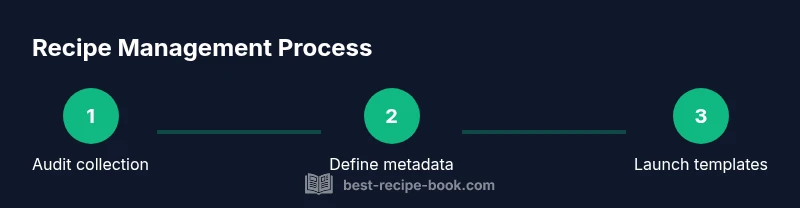
Audit your current recipe collection
Take stock of every recipe you have, whether in print, email, or a digital file. Identify duplicates, outdated notes, and inconsistent measurements. Create a simple master list to begin mapping metadata.
Tip: Start with your most-used recipes to build momentum. - 2
Define naming conventions and metadata standards
Decide on a consistent naming scheme (title, source, date) and mandatory metadata (servings, total time, cuisine). Document units and synonyms to avoid ambiguity later.
Tip: Write it down and keep a living glossary for future entries. - 3
Choose a system that fits your workflow
Select a primary storage method that you’ll actually use daily (app, sheet, or binder). Ensure it supports tagging, search, and easy updates. Plan how you’ll migrate existing recipes.
Tip: Prioritize accessibility and ease of updates. - 4
Create core templates (recipe card, shopping list, meal plan)
Build templates with fixed fields for consistency: title, source, servings, times, ingredients, steps, notes, and tags. Link the shopping list to selected recipes to auto-generate grocery needs.
Tip: Test templates with 3-5 diverse recipes to refine. - 5
Migrate and deduplicate recipes
Move entries into the new system, consolidating duplicates and resolving conflicts in metadata. Attach sources and notes to preserve original context.
Tip: Keep a backup before migration and verify after transfer. - 6
Tag, categorize, and set up searchability
Apply tags and categories to enable powerful filters (e.g., “chicken,” “quick weeknight,” “dessert”). Ensure your system supports robust search and filters.
Tip: Aim for 5-8 core tags per recipe to avoid over-tagging. - 7
Establish maintenance and backup routines
Schedule regular audits, backups, and template reviews. Establish a process for adding new recipes and archiving old ones.
Tip: Set a recurring reminder so maintenance becomes a habit.
People Also Ask
What is recipe management and why is it important?
Recipe management is organizing, storing, and maintaining your recipe collection so you can find, reuse, and scale dishes efficiently. It reduces duplication, speeds planning, and supports dietary needs and inspiration.
Recipe management is about organizing your recipes so you can find and reuse them quickly, helping you plan meals and adjust for needs or guests.
Where should I store recipes for maximum accessibility?
Store recipes in a centralized system you can access across devices. Digital apps offer search and sharing, spreadsheets provide transparency, and binders work well for offline access. Pick one core method and use it consistently.
Keep your recipes in one main system that you can access from any device, so you always know where to look.
How do I deduplicate recipes effectively?
Merge duplicates by selecting the clearest entry, unify metadata, and archive or delete older copies. Maintain a reference to the original source for attribution.
Merge duplicates into a single clean entry and keep a note of where it came from.
How often should I audit my recipe collection?
Set a regular cadence (e.g., quarterly) to review entries for accuracy, remove outdated notes, and refresh templates to reflect current cooking practices.
Do a quick clean-up a few times a year to keep everything accurate and tidy.
Can I track nutrition or costs within my system?
Yes, you can add fields for nutrition estimates and cost notes, and link ingredients to price sources. Use consistent units to simplify calculations.
You can add nutrition and cost notes, but keep it consistent to avoid confusion.
What are common mistakes to avoid in recipe management?
Over-tagging, inconsistent metadata, neglecting backups, and using multiple incompatible systems. Stay consistent, back up data, and periodically review formulas and templates.
Avoid mixing tools and keep everything consistent, with regular backups.
Watch Video
Key Takeaways
- Centralize recipes into one searchable library
- Define consistent naming and metadata standards
- Choose a system that fits your workflow
- Create reusable templates to save time
- Maintain regular backups and audits