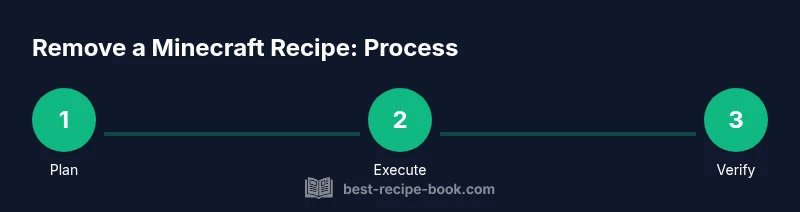
How to Remove a Recipe in Minecraft: Step-by-Step
Learn how to remove a recipe from Minecraft across Java and Bedrock editions using data packs and behavior packs. This educational guide covers prerequisites, step-by-step actions, testing, and safety.


According to Best Recipe Book, this guide explains how to remove a recipe from minecraft by editing the game's recipe data via data packs (Java) or behavior packs (Bedrock). The exact steps depend on edition and the recipe type, but the general approach is to override or delete the recipe JSON, then reload resources. Always back up your world.
What removing a recipe means in Minecraft
Removing a recipe in Minecraft changes what items can be crafted or smelted in your world. When you remove a recipe, the crafting table will no longer present that recipe in the UI, and attempts to craft the item will fail unless another method exists to obtain it. This is a common technique for server admins, modders, or players who want to tailor gameplay for a specific challenge or map. The change is typically done by supplying a data pack (Java Edition) or a behavior pack (Bedrock Edition) that overrides the recipe JSON. In many cases, you’ll override the recipe to an empty JSON file or redirect it to a harmless placeholder. Because recipes are part of the world’s data, removing one can affect related processes, such as batch smelting or item conversions, so plan carefully and communicate changes to players.
Edition-specific approaches: Java vs Bedrock
Minecraft Java Edition uses data packs to modify or remove crafting recipes. Data packs live in the world’s data folder and can override existing recipe JSON by providing a new file under data/<namespace>/recipes. Bedrock Edition uses behavior packs to achieve similar results, but the structure and file types differ; you’ll generally modify the behavior pack’s resource and entity definitions to suppress or replace crafting results. The key idea in both editions is to substitute the original recipe with something inert or with a version that is not craftable. It’s important to test changes in a copy of your world because backups prevent data loss. If you’re working on a server, keep data packs or behavior packs in the server’s plugin or resource pack directory and reload a server after changes.
Prerequisites and safety planning
Before you begin, decide which recipes to remove and why. Make a full backup of your world and any relevant data packs. Create a separate test copy of your world to validate changes without risking your main realm. Gather tools: a text editor for editing JSON, a stable data pack project folder, and a reliable backup method. Confirm you have the correct Minecraft version because data pack syntax can vary between Java and Bedrock editions. Finally, document your changes so teammates understand what was modified and why.
How the data-pack method works (overview)
In Java Edition, you remove a recipe by providing a data pack that overrides the target recipe with a new file that either hides or neutralizes the craft result. The data pack’s JSON should mirror the path of the original recipe, allowing the game to locate the new version during resource load. In Bedrock Edition, a similar effect can be achieved through a behavior pack that adjusts crafting definitions. After placing the new files, you reload the resource packs or restart the game to apply changes. This approach is reversible: you can delete or restore the original JSON to revert the change.
Authority sources
- Official Minecraft Help: https://help.minecraft.net
- The Verge: https://www.theverge.com
- BBC News: https://www.bbc.com
Note: These sources provide context on modding, data packs, and game customization. Always cross-check with current Minecraft version documentation.
Tools & Materials
- Text editor (e.g., VSCode, Notepad++)(Edit JSON files for recipes and data packs)
- Minecraft Java Edition or Bedrock Edition installed(Needed to test removed recipes)
- Backup copy of world/save folder(Critical safety step before editing data)
- Data pack project folder(Place or generate your override JSONs here)
- Test server or local world copy(Use to validate changes without affecting main world)
Steps
Estimated time: 45-90 minutes
- 1
Prepare your environment
Create a dedicated test world or server copy and back up your existing world. Gather your data pack folder, a text editor, and a clear list of target recipes to remove.
Tip: Backups should be stored offline or in a separate drive to prevent data loss. - 2
Identify the target recipe
Determine the exact recipe you want to remove and locate its JSON file path within the data pack structure (Java) or behavior pack structure (Bedrock).
Tip: Document the recipe name and its namespace for precise replacement. - 3
Create override or delete JSON
In the data pack, either replace the recipe JSON with an inert version or delete it by removing the file from the recipes folder. In Bedrock, adjust the corresponding behavior pack files to suppress the craft result.
Tip: Aim for a reversible change by keeping a copy of the original JSON. - 4
Reload game resources
Reload resource packs or restart the game to apply changes. On servers, reload the server to propagate the new data pack or behavior pack.
Tip: Verify the removed recipe no longer appears in the crafting UI. - 5
Validate in-game behavior
Open the target crafting interface and attempt the craft. Confirm that the recipe cannot be crafted and that no unintended items are affected.
Tip: If something breaks, revert to the backup quickly. - 6
Document and monitor
Note exactly which recipes were removed and why. Monitor for any issues after updates or patches.
Tip: Share the documentation with teammates to avoid confusion.
People Also Ask
Can I remove a recipe without using data packs?
In Java Edition, data packs are the standard method for removing or altering recipes. Bedrock uses behavior packs for similar customization. Without packs, removing a recipe is not straightforward and can require external tools or manual edits that risk data integrity.
Usually you need a data pack or behavior pack to remove a recipe; doing it without packs is not standard practice.
Will removing a recipe affect my world save?
Removing a recipe via a data pack changes crafting options in the world. The world file remains, but the recipe list changes for players. Always test on a copy to verify there are no unintended consequences.
Yes, it changes what you can craft in that world. Test on a copy first.
What is the safest way to back up before editing?
Copy the entire world folder and the related data pack folders to a secure location. Keep multiple restore points and label backups with dates and changes.
Back up your world folder and your data packs before editing.
Does the removal persist across game updates?
If the data pack is installed, it continues to affect crafting unless the pack is updated or removed. You may need to reapply changes after major updates.
It can persist through updates unless the pack is updated or removed.
Are there commands to modify recipes directly?
Minecraft supports various commands for editing game data in some editions, but recipe removal is most reliably done through data or behavior packs. Command support varies by version.
Commands exist in some versions, but packs are usually the safer route.
Can I revert the removal easily?
Yes. Restore from a backup or reintroduce the original recipe JSON with a new data pack. Always test reversion on a copy first.
Yes, restore the backup or re-add the recipe via a pack.
Watch Video
Key Takeaways
- Plan changes with a test world first
- Use data packs (Java) or behavior packs (Bedrock) to manage recipes
- Back up before editing, and document changes
- Reload and test to ensure the recipe is truly removed
- Changes are reversible with backups