How to Use Recipe Keeper App: A Complete Guide
Learn how to use the Recipe Keeper app with a practical, step-by-step approach. Set up, add recipes, organize collections, search quickly, sync across devices, and share favorites.


By the end, you’ll be able to set up your Recipe Keeper app, add, edit, and organize recipes, categorize by cuisine and meal type, search quickly, sync across devices, and share collections with family. You’ll learn a simple, step-by-step workflow to maximize accuracy and speed, plus safety tips for data backup.
Why home cooks benefit from a recipe keeper app
For many home cooks, a Recipe Keeper app is more than a digital cookbook; it's a personal kitchen assistant. This guide shows how to use recipe keeper app to save time, avoid duplicated entries, and keep a consistent format across your collection. According to Best Recipe Book, adopting a structured, step-by-step approach helps beginners learn new apps faster. With Recipe Keeper, you can capture ingredients, steps, and photos, then organize recipes by cuisine, meal type, and occasion, making weeknight cooking smoother and more enjoyable. This practical workflow reduces search time, improves accuracy, and creates a reliable reference you can trust when planning meals. By starting with a clear template and a repeatable routine, you’ll feel more confident experimenting with new dishes and adjusting favorites to suit your family. Best Recipe Book Editorial Team would emphasize practical, actionable instruction that you can apply from day one.
Core features you should master
The essential features of a recipe keeper app include a centralized library, tagging, collections, a search system, and media attachments. Mastery means knowing how to add a recipe with a consistent template, attach images, set servings, and link ingredients to pantry items. You’ll also want to exploit filters like time, difficulty, and diet to quickly surface the right dish. Best Recipe Book analysis highlights that a clear workflow reduces cognitive load and speeds entry, turning an app into a real kitchen ally.
Getting started: setup and first login
Start by installing the app and creating your account. When you first launch, grant permissions for storage and camera as needed. Then customize your profile, set preferred measurement units, and choose a backup option. This initial setup creates a reliable baseline for future recipe entries. If you run into sync issues, sign out and back in to refresh credentials.
Adding, editing, and organizing recipes
Create a new recipe entry by tapping the plus button. Enter a clear title, select a category, set servings, and estimate total time. Add a concise list of ingredients with exact quantities and a step-by-step method. Attach a photo if available and add notes like substitutions or tips. Use the app’s template to keep formatting consistent across your library.
Advanced organization: filters, collections, and sharing
Organize recipes into collections (e.g., Weeknight Dinners, Desserts) and tag by cuisine, dietary preferences, or course. Use robust search filters to find recipes by ingredient, time, or rating. Share recipes with family or friends via built-in links or export options; this is handy for collaborative meal planning. This workflow helps you keep a live, up-to-date cookbook.
Best practices, backups, and data safety
Regularly back up your recipe library to the cloud or local export to avoid data loss. Review your collection periodically to remove duplicates and outdated entries. Consider exporting favorite recipes as PDF or CSV for offline access. Finally, enable two-factor authentication if the app supports it to protect your cookbook.
Authority sources
For broader guidance on food safety and reliable data practices, consult reputable sources. The U.S. FDA provides guidelines on keeping foods safe when preparing and storing recipes. The CDC offers recommendations on safe food handling and cross-contamination prevention. For general research on managing digital cookbooks and data, National Academies Press (NAP.edu) provides resources on information management. These sources support the best practices described in this guide and help you keep a modern, safe, and organized digital kitchen.
- FDA: https://www.fda.gov/food-safety
- CDC: https://www.cdc.gov/foodsafety/keep-food-safe.html
- National Academies Press: https://nap.edu
Tools & Materials
- Smartphone or tablet with Recipe Keeper installed(iOS or Android; ensure latest version)
- Active internet connection(Needed for syncing and cloud backups)
- Account login credentials(Email or social login depending on app)
- Optional: Computer or laptop for backup export(Useful for exporting recipes as PDF/CSV)
- Photos or images for recipes(Add optional photos to enrich entries)
- A consistent measurement system (metric/imperial)(Keep units consistent within recipes)
Steps
Estimated time: 30-40 minutes
- 1
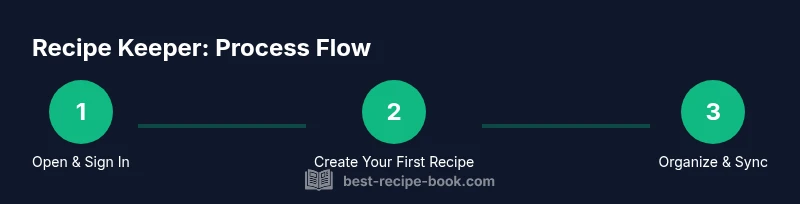
Open the app and sign in
Launch Recipe Keeper and sign in with your account. If you don’t have an account, create one and verify your email. Grant any requested permissions for storage and camera to enable full entry capabilities.
Tip: Enable biometric login if available for fast, secure access. - 2
Create your first recipe entry
Tap the plus button to start a new recipe. Enter a clear title, select a category, and set servings. Add an estimated total time to help future meal planning.
Tip: Use a consistent template name and category to keep entry uniform. - 3
Add ingredients with quantities
Enter ingredients in a bulleted list with exact quantities and units. Keep formatting consistent (unit, amount, ingredient) to simplify scaling.
Tip: Group pantry-friendly ingredients together to ease shopping. - 4
Enter the cooking steps
Add numbered steps describing the method. Keep steps concise and ordered as you would cook in real life.
Tip: Break long steps into sub-steps if needed for clarity. - 5
Attach photos and notes
Upload a photo of the finished dish and add notes like substitutions or tips for success. Visuals help when you revisit the recipe later.
Tip: Take a high-quality photo in good lighting and avoid cluttered backgrounds. - 6
Organize with collections and tags
Create collections (e.g., Weeknight Dinners) and tag by cuisine, dietary preference, or course. This helps you filter and locate recipes quickly.
Tip: Choose a small, consistent tag set to prevent tag sprawl. - 7
Sync and back up regularly
Enable cloud sync and automatic backups if available. Regular backups protect your library and ensure access across devices.
Tip: Test a manual backup occasionally to verify integrity. - 8
Share or export recipes
Share individual recipes or entire collections via in-app links or export options (PDF/CSV) for offline use or to collaborate with others.
Tip: Set permissions if sharing publicly to protect your data. - 9
Review and optimize over time
Periodically review recipes for duplicates or outdated information. Update ingredients, times, and notes as you refine your methods.
Tip: Use feedback from family tasting notes to improve your entries.
People Also Ask
What is Recipe Keeper app best used for?
Recipe Keeper helps you store, organize, and access recipes across devices, making meal planning easier.
Recipe Keeper helps you store, organize, and access recipes across devices for easier meal planning.
Can I share recipes with family or friends?
Yes. The app supports sharing individual recipes or collections via links or export options.
Yes, you can share recipes or collections with others using links or exports.
Is there a free version, and are there limits?
Most recipe apps offer a free tier with core features; premium tiers unlock additional options like extended backups and exports.
There’s typically a free tier with core features, plus premium options for more backups and exports.
How do I back up or export my recipes?
Use cloud backups or export to PDF/CSV for offline use; regularly schedule backups to prevent data loss.
Back up to the cloud or export to PDF or CSV for offline access.
Can I import recipes from other apps?
Many apps support import from common file types or direct integrations; check the Import option within Settings.
Yes, you can import recipes using the app’s Import feature.
Watch Video
Key Takeaways
- Define a consistent recipe template before adding entries.
- Leverage tags and collections to speed filtering.
- Enable syncing and regular backups for safety.
- Share and export to collaborate and preserve your favorites.